
TV wall mounting in San Antonio, start to finish
Mounting TVs is the core of what we do. We plan the height, find the right support in your wall, and handle the soundbar and cables so the finished setup looks built into the room, not hung on it.
Rated 5.0 out of 5. 200+ five-star reviews on ThumbtackRead reviews (opens Thumbtack in a new tab)
At a glance
- Drywall, brick, stone, tile, concrete and fireplaces
- Fixed, tilting, full-motion and flush mounts
- Soundbars, wire concealment and device setup in the same visit
What a TV mounting visit looks like
Every install starts with placement. We look at where you sit, where the light comes in, and where the power and cable connections are. Then we mark the position and confirm it with you before anything gets drilled.
- Confirm placement, height and viewing angle with you on site
- Locate studs, or choose the correct masonry or tile hardware for your wall
- Check that the mount is rated for your TV's weight and matches its mounting pattern
- Install and level the bracket, hang the TV, and confirm it is secure
- Route and tidy the cables, or hide them if you've added wire management
- Power the TV on and check your inputs before we call it done
Choosing the right mount
The mount decides how the TV sits and moves. Not sure which one you need? Tell us how you'll use the room in the quote form and we'll recommend one.
Fixed
Holds the TV close to the wall for the cleanest look. Best when the screen can sit at a comfortable height straight ahead of your seating.
Tilting
Angles the screen down a few degrees. Useful for TVs mounted a little higher, or to cut glare from windows and lights.
Full-motion
An articulating arm that pulls out and swivels. Ideal for corners, open floor plans, or rooms you watch from more than one spot.
Samsung Frame and flush mounts
Lifestyle TVs like the Frame use their own slim mounts to sit almost flat like artwork. We install these where the wall and connections allow a flush fit.
Walls we mount on
Drywall
The most common install. The mount is anchored into studs, not just drywall, so the wall's framing carries the TV.
Brick, stone and concrete
Masonry holds a TV extremely well when it's drilled and anchored correctly. It takes different bits, anchors and care.
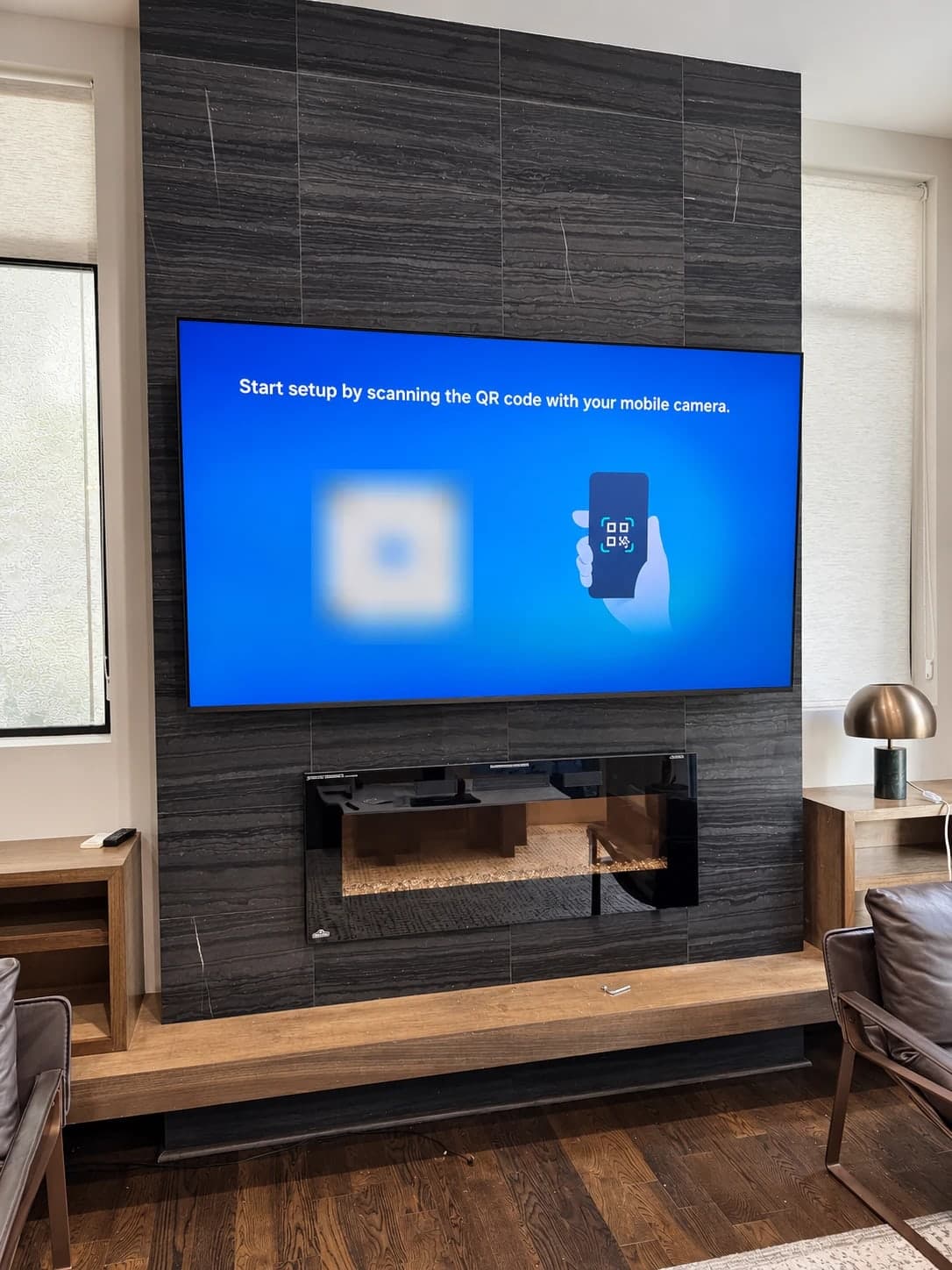
Above a fireplace
The most requested spot, and the one that needs the most planning for height, heat and wiring.
Large and heavy TVs
75 inches and up means heavier loads, wider mounts and a two-person lift. We plan for all of it when we quote.
Finish the setup in the same visit
A mounted TV with cables hanging under it never looks finished. Add any of these to your quote:
Soundbar mounting
Centered under the screen and connected so your TV remote controls the volume, where your equipment supports it.
Wire management
From paintable cord covers to in-wall concealment kits made for the purpose.
Streaming and console setup
Streaming sticks, boxes and gaming consoles connected, signed in where you want, and tested.
Shelves for devices
A floating shelf under the TV for a cable box, console or soundbar.
Old TV removal
We take down the old TV and mount so the new one can go up.
Your to-do list
Shelves, art, mirrors, curtain rods and furniture assembly while we're already there.
How quotes work
Every wall is different, so we quote from your actual setup. The quote form asks about your TV size, wall type, mount, and add-ons, and lets you upload a few photos. Photos of the wall, the TV's model label and any mount you already have help us get the quote right before we arrive.
Recent installs like this
Large TV on a stone-tile fireplace wall 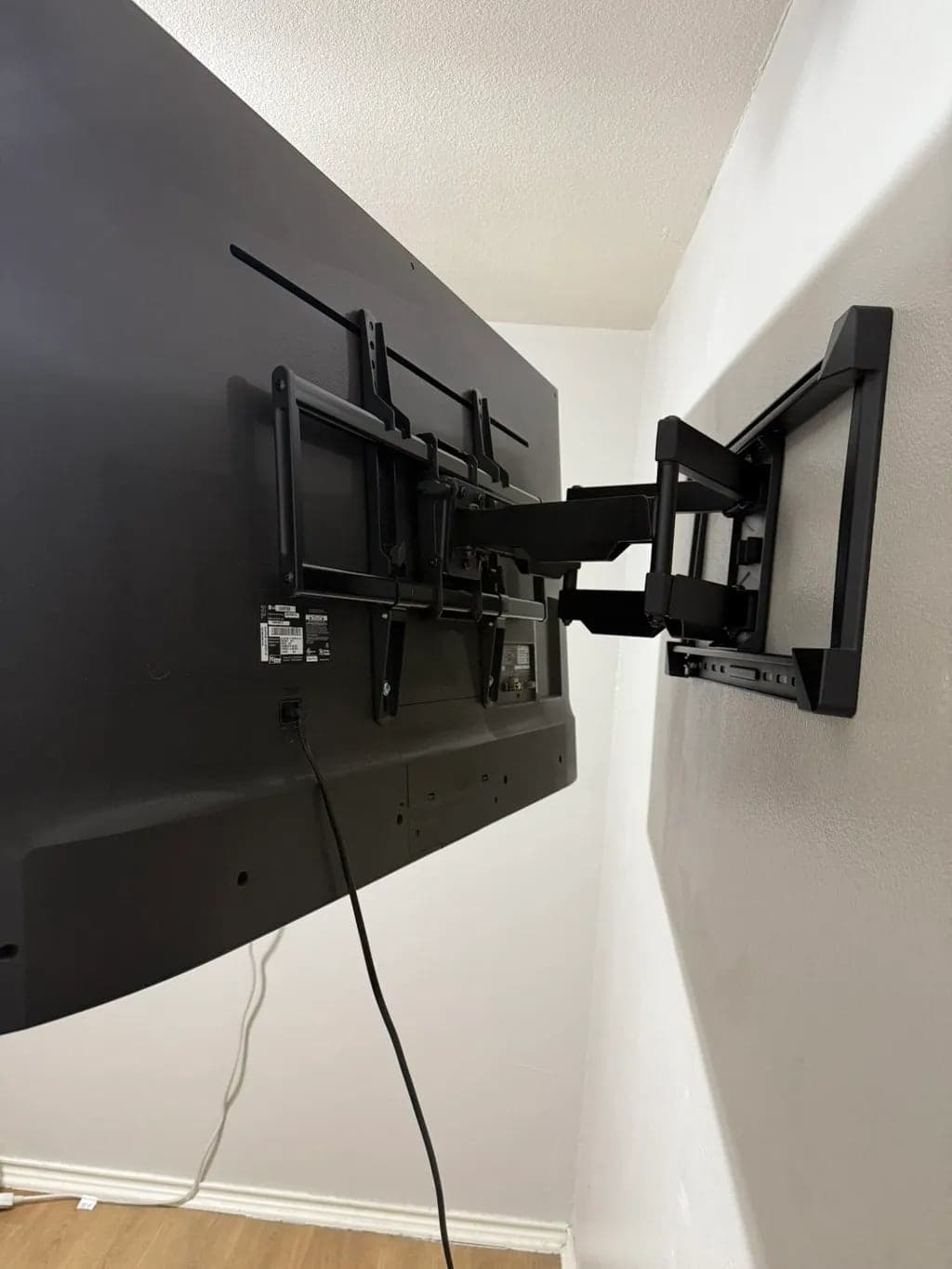
Full-motion mount on drywall
Common questions
How high should my TV be mounted?
In most living rooms, the center of the screen should sit close to your eye level when you're seated, often around 40 to 45 inches from the floor, depending on your seating and screen size. Above a fireplace it will sit higher, which is where a tilting or pull-down mount helps. We mark the position and confirm it with you before drilling.
Do I need to buy a mount before you come?
No. If you already have one, choose its type in the quote form and we'll confirm it's right for your TV and wall. If you don't, tell us whether you want the TV fixed flat, tilting or full-motion, and we'll recommend a mount when we quote.
How big a TV can you mount?
Everything from small bedroom TVs to 85-inch-plus screens. For large or heavy TVs we confirm the mount's weight rating and mounting pattern, how the wall is built, and whether the lift needs a second person. We plan all of that when we quote.
Can you hide the wires?
Yes. Options range from bundling cables neatly behind the TV, to a slim paintable cord cover on the wall, to in-wall concealment on suitable walls using kits rated for in-wall use. We never run standard power cords inside a wall, because they aren't rated for it.
How long does a TV installation take?
It depends on the job. A single TV on drywall is the quickest; fireplaces, masonry, in-wall wiring, large screens and multiple TVs take longer. We'll give you a time estimate with your quote.
What should I do before you arrive?
Clear the area in front of the wall, have the TV and any mount, soundbar or devices on site, and have an idea of where you'd like the TV. If your TV came with its own mount or parts (like a Samsung Frame), keep everything from the box.
Why do you ask for photos?
Photos of the wall, your TV's model label and any mount you already have show us the details that change a job: wall material, outlet locations, fireplace clearances and whether a mount fits your TV. That lets us quote accurately before we arrive. Your photos stay private and are only used for your request.
Can you add an outlet behind the TV?
Adding or moving an outlet is electrical work that requires a licensed electrician in Texas, and we don't perform licensed electrical work. We'll tell you exactly where an outlet should go so an electrician can add it, and plan the TV install around it.
Tell us about your TV and wall
Answer a few questions and add photos of the wall. We'll get back to you with a quote.